

In-Market Account List Builder
Goal
Speed up the process for sales and marketing teams to create niche audiences that match their ICPs.
Roles
Me — UX/UI Design
Front-End Development -- Jason Bean
The Challenge
Lots of data.
The tricky part of this design was the balance of giving users enough customization and information to create their perfect audience, while accounting for performance. We needed to allow for users to filter a lot of data, then not only see results in seconds, but have enough information shown that they can determine whether or not they need to redo their filters.
Where We Started
Since it was an MVP, we knew our current account list building flow was lacking.
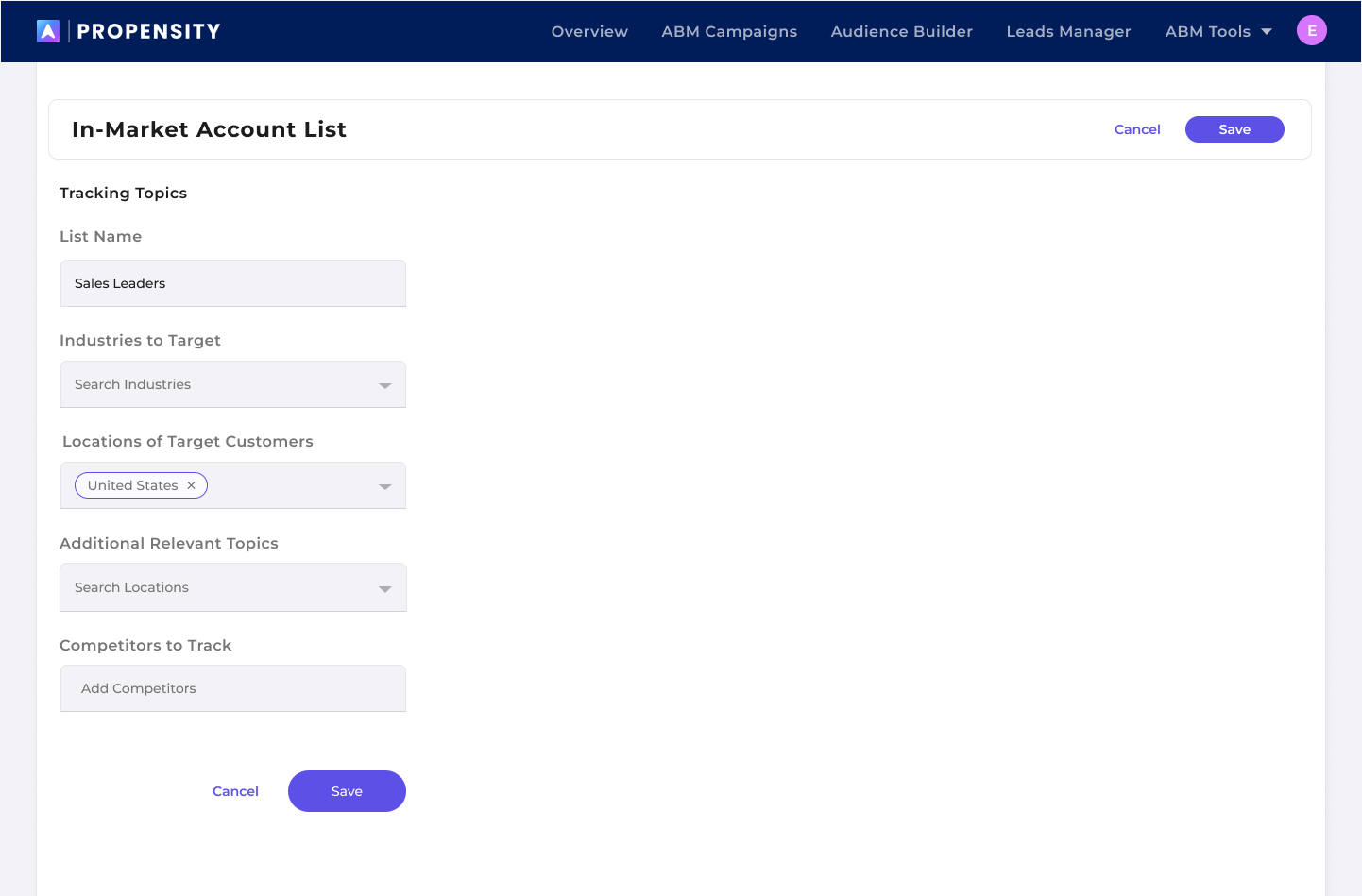
User fills out the minimal form. There are limited options and only dropdown and text fields that required a comma between inputs.
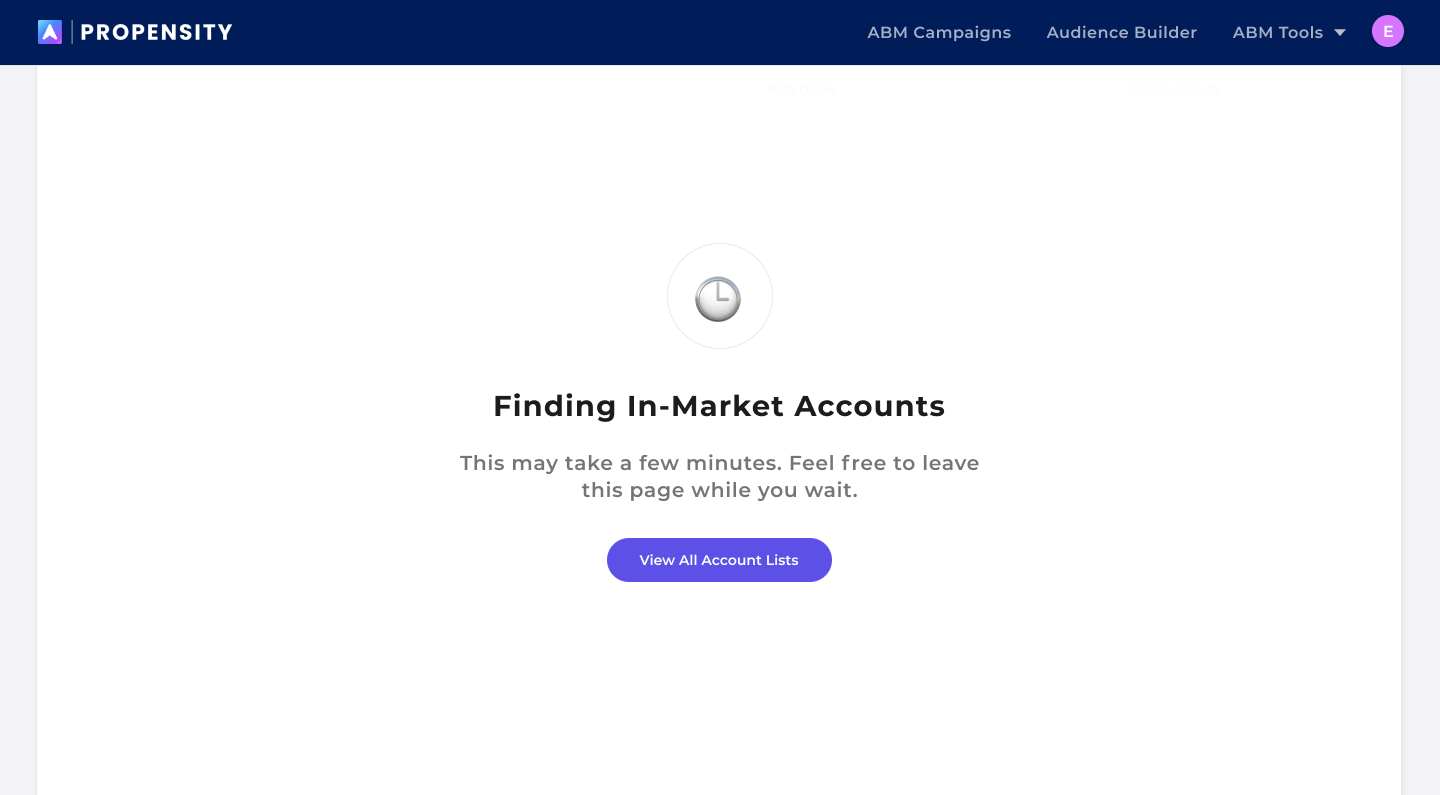
2. User submits the form, expected to wait for an unknown amount of time to see results.
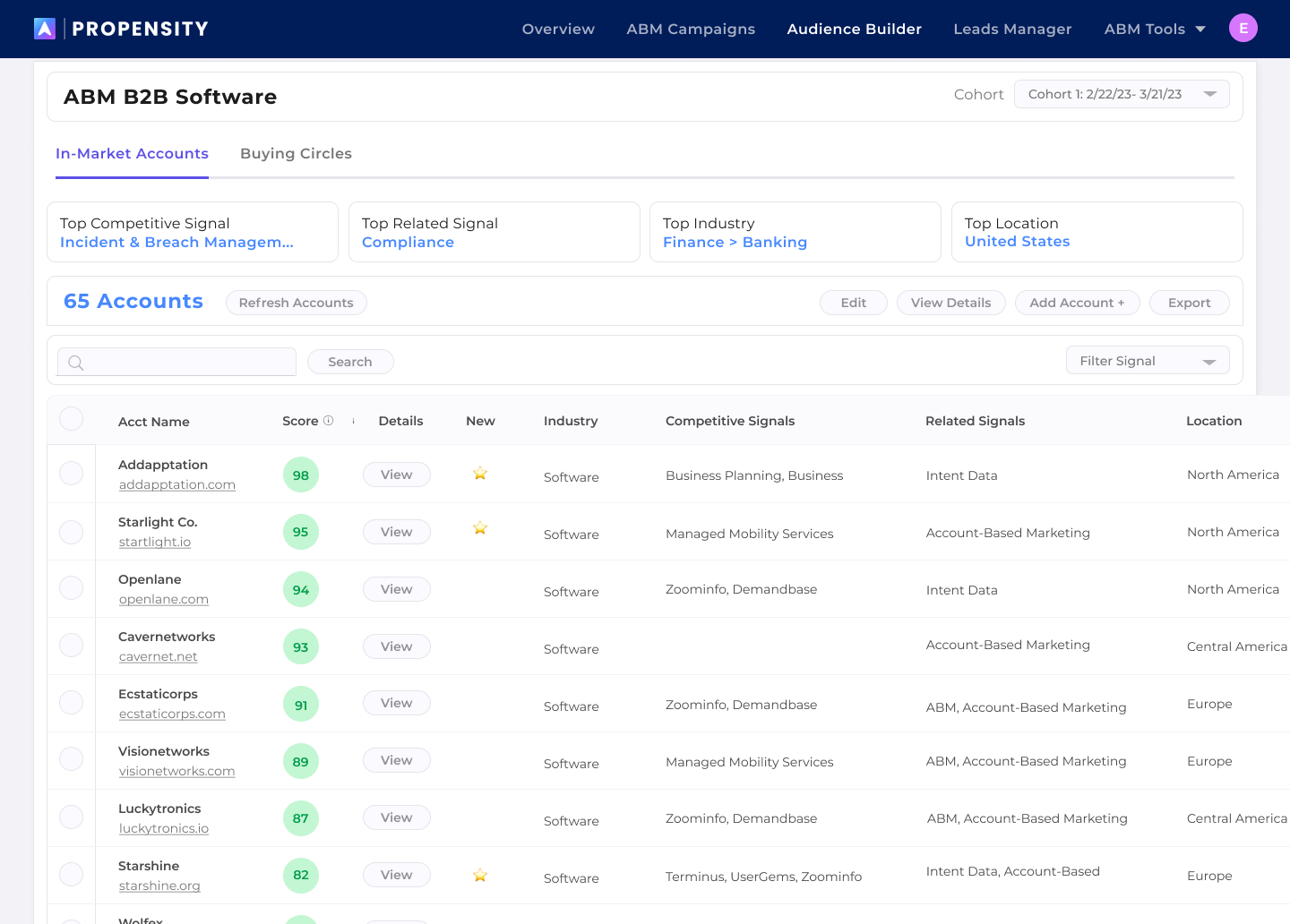
3. Once the results have loaded, the user must analyze their list and decide whether to make edits to their form.

4. If the results aren’t the correct audience size or doesn’t fully match the user’s ICP, they must restart the editing process.
Research + Iteration:
While there were obvious ways to improve the user experience, I wanted to understand how our customers were building their list, both in our product and elsewhere.
In order to decide on the best solution possible, I:
• Analyzed our customer research and conversations in Condens to learn the ways marketing and sales team categorize their ICP data types and different data points we can add
• Dug into other list-building and ad platforms such as Google and HubSpot
• Researched different form field capabilities and designs that match the way we pull our data with Salesforce
• Collaborated with our engineering team to understand how much data we could pull at a time without hurting performance

Results + Improvements
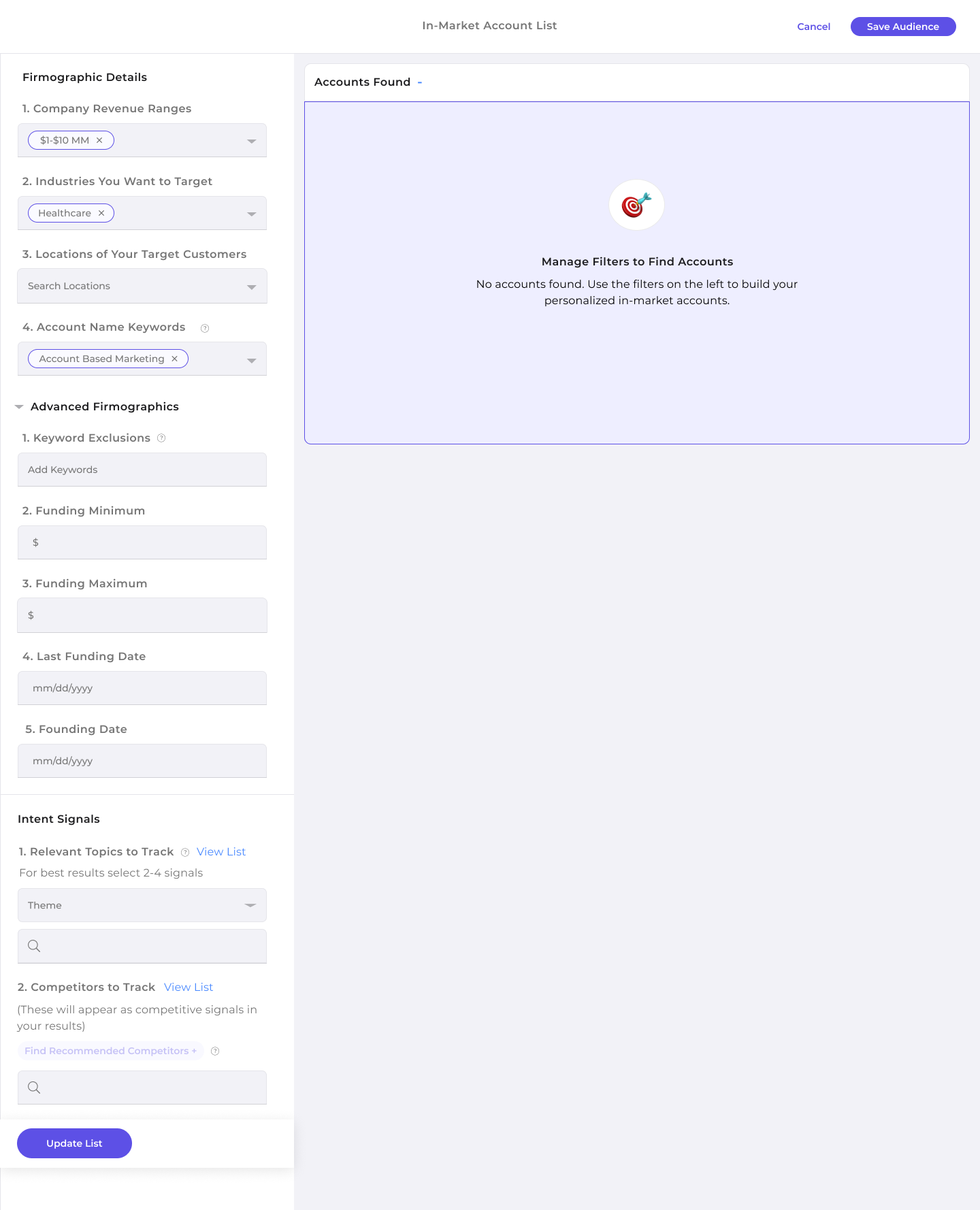
These improvements were a huge success and resulted in a very obvious uptick in booked demos and wins.
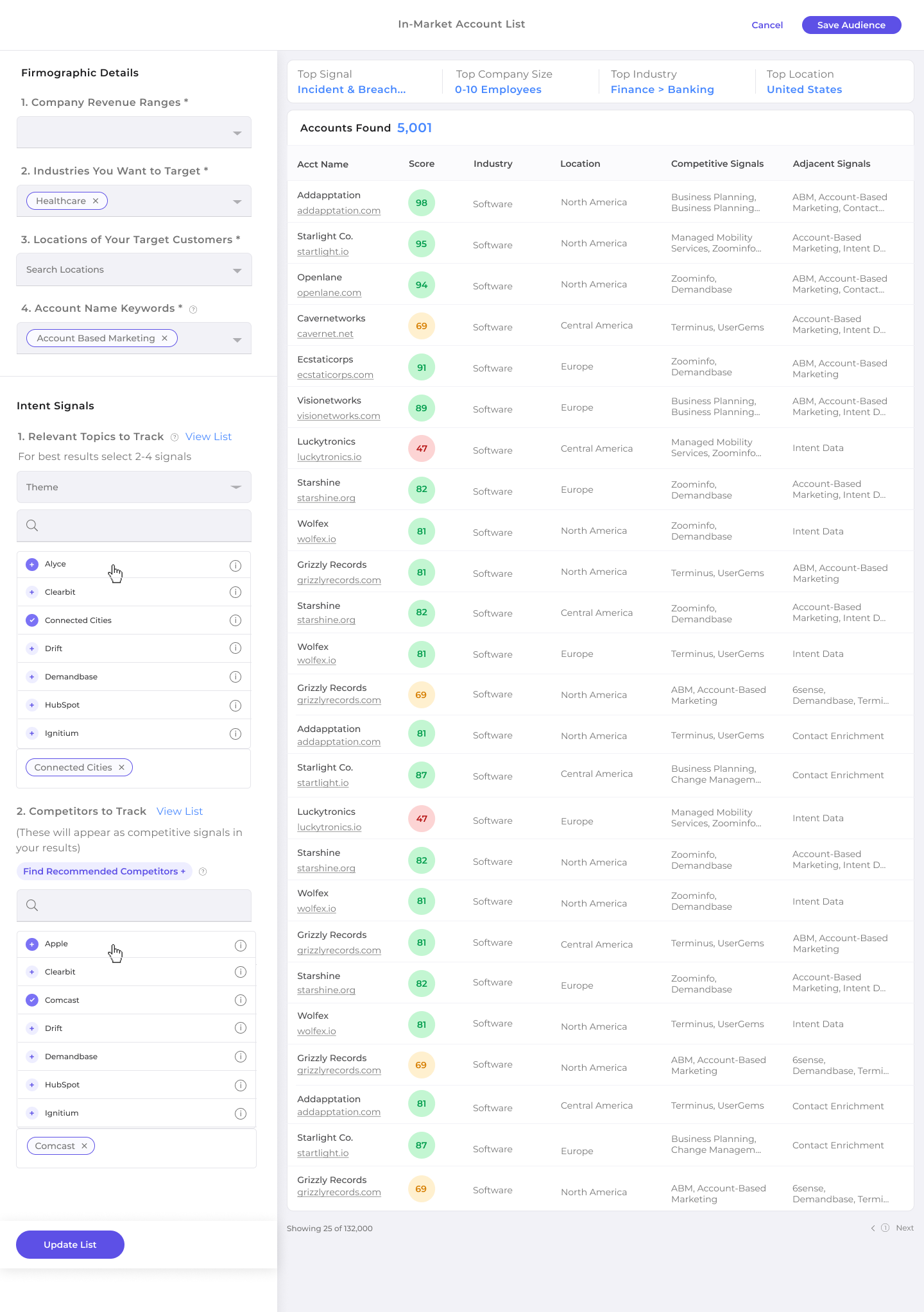

• Advanced customization
Based on our research, we added additional advanced filtering for the users that want to get more niche in their audience-building.
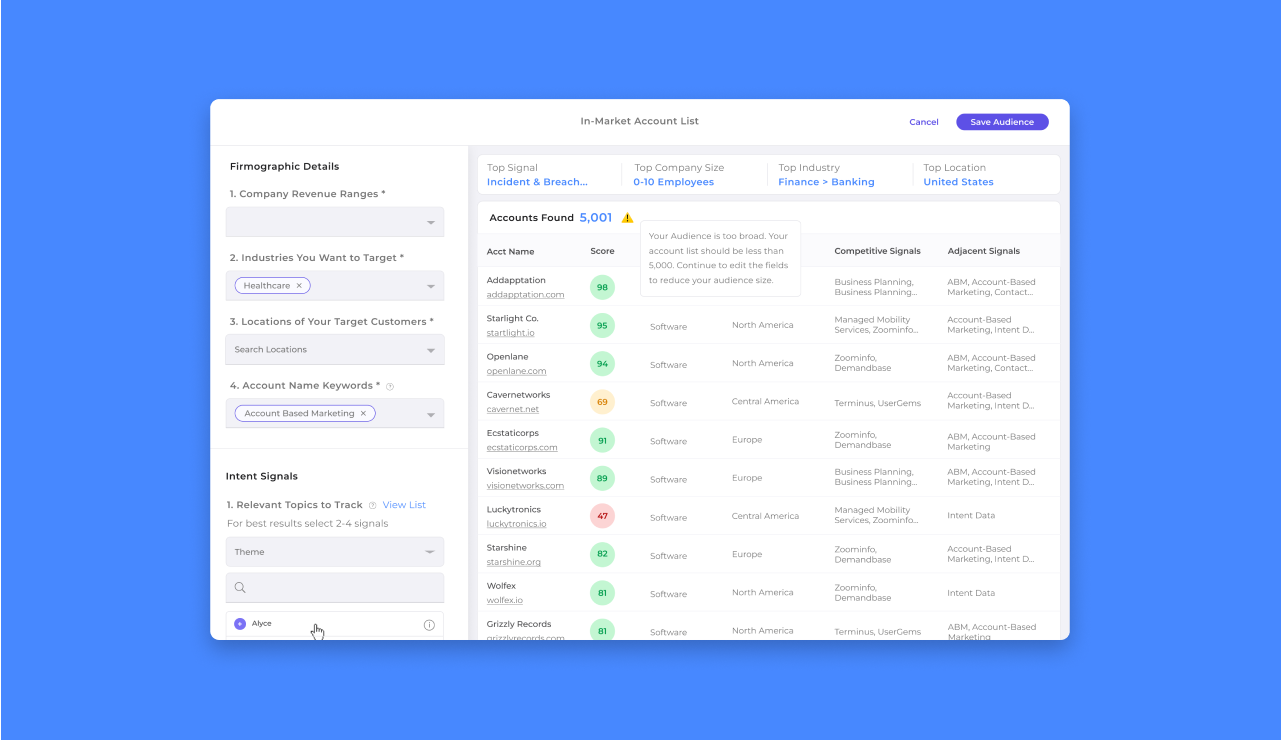
• Side-by-Side Editor
Now users can view their audience list while editing their filters. By analyzing the results in their table, the top stats and number of contacts, they can determine if the data matches their ICP. If they are not satisfied with the results, now they can make real-time updates without leaving the editor.
• Real-time updates
In order to be able to edit real-time without performance issues, we added an update function and pagination to the list. With the feedback from our users, we knew which fields were most important to show in the editable list.
• Improved filtering experience
Instead of having to click a dropdown or add a comma between inputs, we built a multi-select pill functionality as well as a filterable and searchable checklist for intent topics.